Cash App Guide 2026: Send Money Apps Smarter
Peer-to-peer payment apps like Cash App have reshaped how Americans move money in 2026. Splitting a dinner tab, paying rent to a roommate, or sending a birthday gift now takes seconds instead of a trip to the ATM. Cash App in particular has grown from a simple money-transfer tool into a mini financial hub with debit cards, direct deposit, stock investing, and even bitcoin.
But convenience comes with questions. How do these apps make money? Are they safe? And how does Cash App compare to rivals like Venmo, Zelle, and PayPal? This guide answers all of that, so you can send, receive, and store money with confidence rather than crossed fingers.
How Cash App works in 2026
Cash App links to your bank account or debit card and lets you send money to anyone using their unique $Cashtag. Transfers between users are instant and free, while transfers to your bank arrive in one to three business days unless you pay a small fee for instant cash-out.
Over time, the app has added features that push it toward being a full banking replacement. You can order a customizable Cash Card, set up direct deposit, and round up purchases into stock or bitcoin.
Core features at a glance
- Instant P2P transfers between Cash App users at no cost.
- Cash Card, a free debit card with spending “Boosts” and discounts.
- Direct deposit that can arrive up to two days early.
- Investing in fractional stocks and bitcoin from within the app.
Cash App vs. the competition
No single payment app wins for everyone. Your best pick depends on who you pay, how fast you need funds, and whether you want built-in investing. Reviewing the top best money apps side by side helps you avoid signing up for the wrong one.
Zelle moves money directly between bank accounts almost instantly but offers no card or investing. Venmo leans social with a public feed, while PayPal excels at online checkout and buyer protection.
Payment app comparison table
| App | Instant transfer | Investing built in | Best for |
|---|---|---|---|
| Cash App | Yes (fee to bank) | Stocks and bitcoin | All-in-one hub |
| Venmo | Yes (fee) | Crypto only | Social splitting |
| Zelle | Yes (free) | No | Bank-to-bank |
| PayPal | Yes (fee) | Crypto only | Online shopping |
Is Cash App safe to use?
Cash App uses encryption and fraud-monitoring technology, and it is a legitimate service operated by Block, Inc. That said, most losses happen not through hacks but through scams where users are tricked into sending money voluntarily.
The Federal Trade Commission warns that payment-app transfers often work like cash, meaning they can be hard to reverse once sent. Read the FTC’s guidance on what to know about payment apps before sending money to anyone you do not personally know and trust.
Smart safety habits
- Enable the app PIN and biometric lock plus two-factor authentication.
- Verify the $Cashtag carefully before hitting send.
- Never send money to strangers promising to “flip” or multiply it.
- Only send to people you trust, since transfers are hard to undo.
Getting the most value from Cash App
Beyond simple transfers, a few underused features can put real money back in your pocket. Cash Card Boosts apply instant discounts at specific merchants, and setting up direct deposit unlocks early paydays.
You can also automate investing by rounding up card purchases into stocks or bitcoin. Start small and treat crypto as a tiny, speculative slice rather than your emergency fund. For deeper walkthroughs, a dedicated Cash App guide breaks down each feature step by step.
Fees to watch
Cash App charges for instant transfers to your bank and for ATM withdrawals unless you receive qualifying direct deposits. Sending money with a linked credit card also carries a fee, so use a debit card or balance to avoid it. When in doubt, consult reputable service experts before assuming any transfer is free.
Should You Keep a Balance in Cash App?
One habit worth rethinking is leaving large sums parked in your Cash App balance. Unlike a high-yield savings account, that balance typically earns little to no interest, which means idle money slowly loses ground to inflation.
Treat the app as a hub for moving money, not storing it. Keep only what you plan to spend or send soon, and sweep the rest into an interest-bearing account. This small discipline can add up to meaningful earnings over a full year.
A simple weekly money-app routine
- Review your transaction history to catch mistakes or fraud early.
- Cash out any balance you do not need for upcoming payments.
- Move surplus funds into savings or investments that actually grow.
- Confirm your security settings and pending transfers are correct.
Fifteen minutes a week keeps your payment apps tidy and prevents the slow leak of forgotten balances. It also builds the awareness that underpins every other smart money decision you make.
Pairing Cash App With a Full Money System
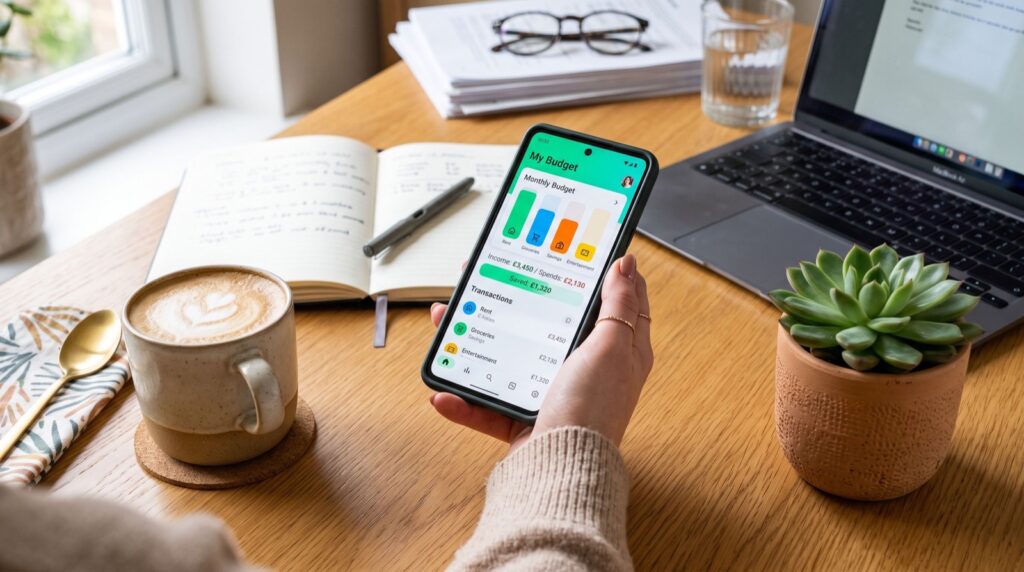
Cash App shines brightest as one piece of a larger financial toolkit rather than a standalone solution. Connect it to your budgeting app so every send and Boost purchase feeds your spending picture instead of hiding in a separate silo.
When your payment activity flows into one dashboard, patterns become obvious. You might spot that casual transfers to friends quietly add up, or that Boost savings are worth chasing more deliberately. Integration turns scattered taps into informed choices.
Frequently Asked Questions
Is Cash App free to use?
Standard transfers to other users and normal cash-outs to your bank are free. You only pay fees for instant bank transfers, credit-card-funded sends, and out-of-network ATM withdrawals without qualifying direct deposit.
Can I get scammed on Cash App?
Yes, primarily through voluntary transfers to scammers, not hacking. Because payments act like cash and are hard to reverse, only send money to people you know and never trust “money flipping” offers.
Does Cash App report to the IRS?
Business transactions above the current reporting threshold may generate a tax form. Personal transfers between friends, like splitting a bill, are generally not taxable, but keep records if you sell goods or services.
How is Cash App different from Zelle?
Zelle moves money directly between bank accounts with no stored balance, card, or investing. Cash App keeps a balance, offers a debit card, and lets you invest, making it more of an all-in-one hub.
Send money smarter today
Cash App and its peers make moving money faster and simpler than ever in 2026, but a little knowledge keeps you safe and saves on fees. Match the app to how you actually pay people, lock down your security settings, and treat every transfer like cash. Ready to choose the right tool? Compare the top options, set up your account today, and take control of how your money moves.